
Sublime shortcut to wrap selected text in a tag
This is a super-useful Sublime shortcut that's worth tattooing on your arm.
Ctr-Shift-W (Mac OSX)
or
Alt-Shift-W (Windows)
- Simply select the text you want to wrap with a tag
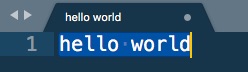
- Hit Ctl-Shift-W (Mac OSX) or Alt-Shift-W (Windows)
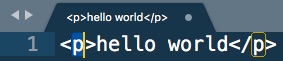
By default, this will add <p> </p> tags around your selection - Immediately hit <delete>, this will remove the p from <p> tags, leaving just the angle brackets
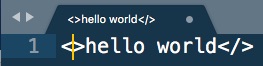
- Enter your new HTML element, it will automatically be added to both the opening and closing tag
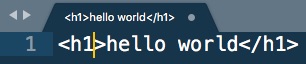
- That's it!